Parking at GMU with Validations (Instructors and Class Aides)
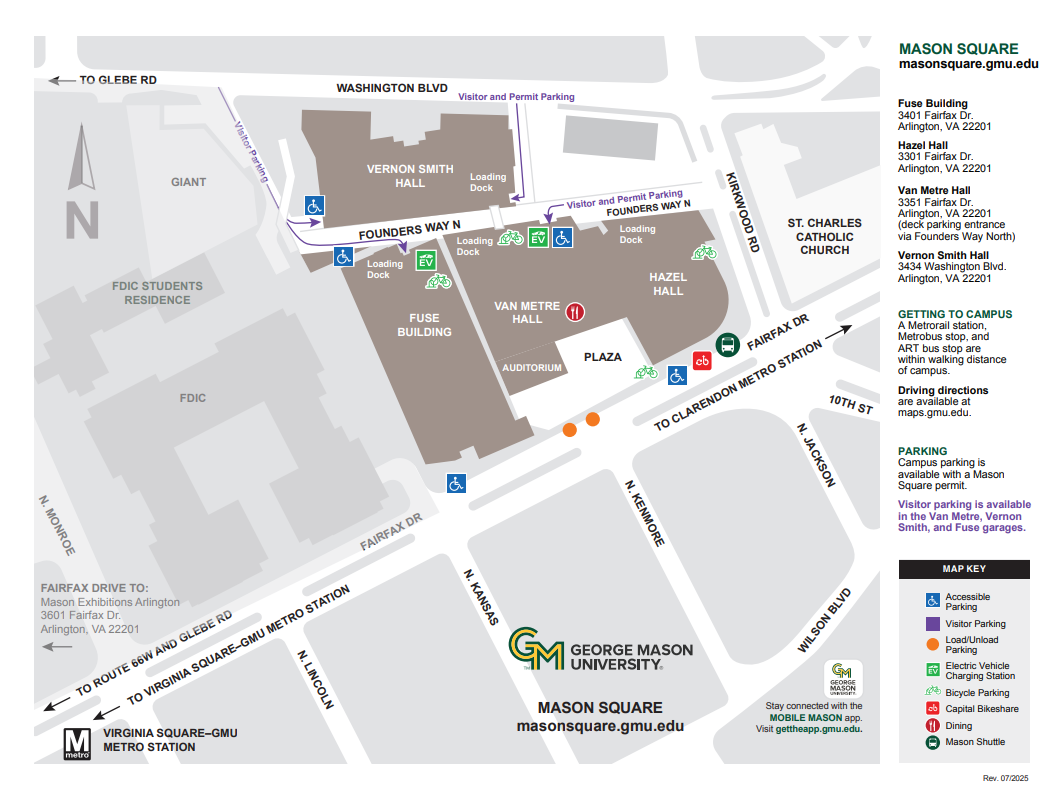
Beginning September 2025, parking at GMU Mason Square – Van Metre Hall Garage (accessible via the alley from Kirkwood) will require use of the Metropolis app.
To use the garage, you’ll need:
- A credit card (or Apple Pay)
- A cell phone
- Your vehicle’s license plate number
Follow these steps to set up your Metropolis account:
1. Create an account with Metropolis
- Go to https://app.metropolis.io/onboard in advance of arrival, or
- Scan the QR code posted in the garage using your phone
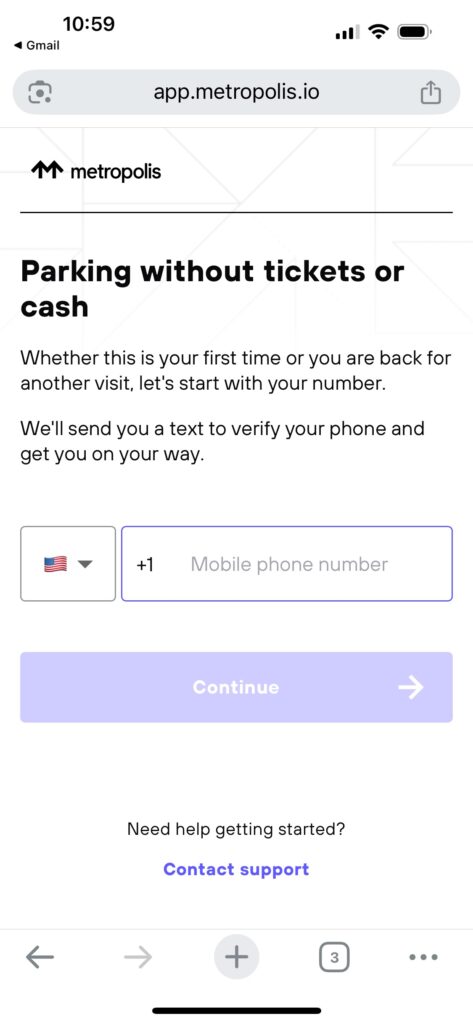
2. Verify your mobile number
- Enter your mobile number.
- You’ll receive a text with an authentication code—enter it when prompted.
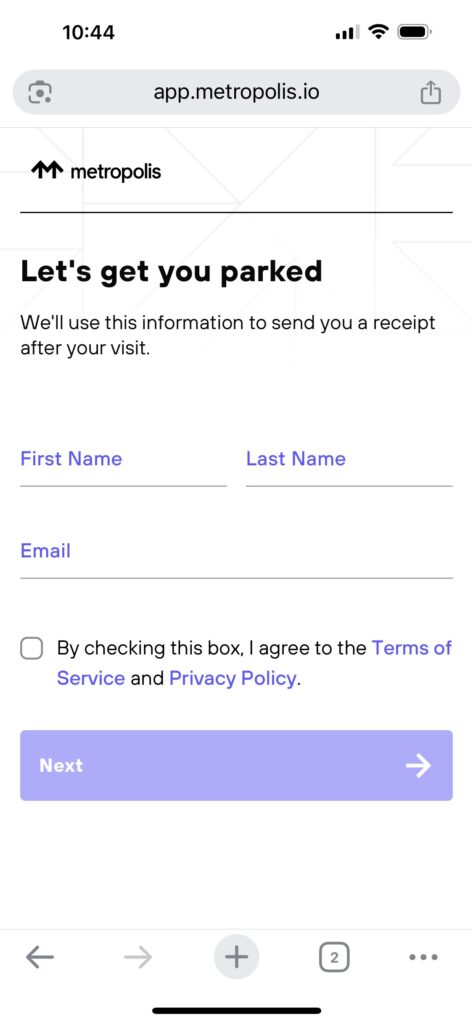
3. Provide your details
- Enter your name and email address
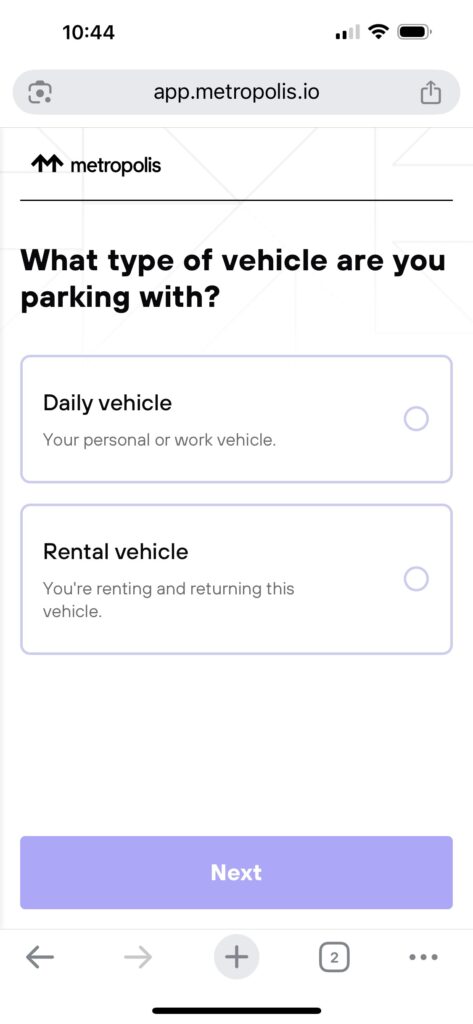
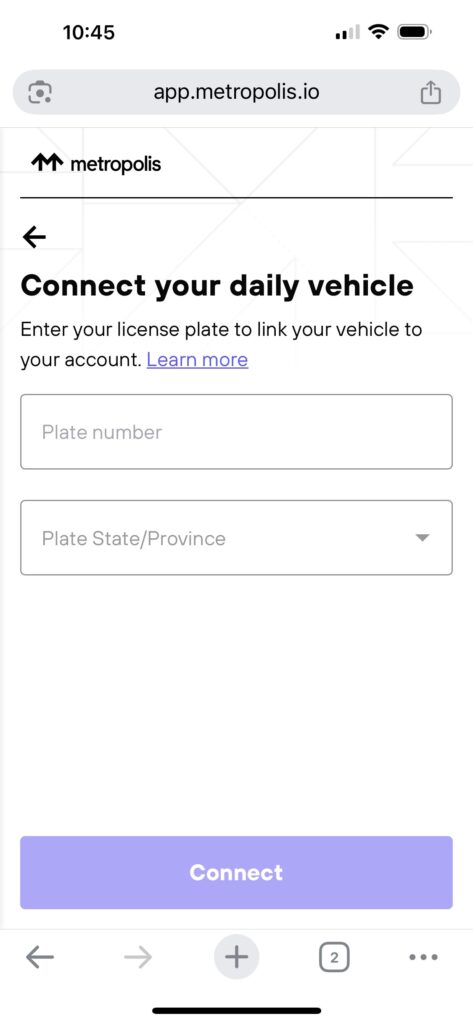
4. Add your vehicle
- Select daily vehicle
- Enter your car’s license plate information
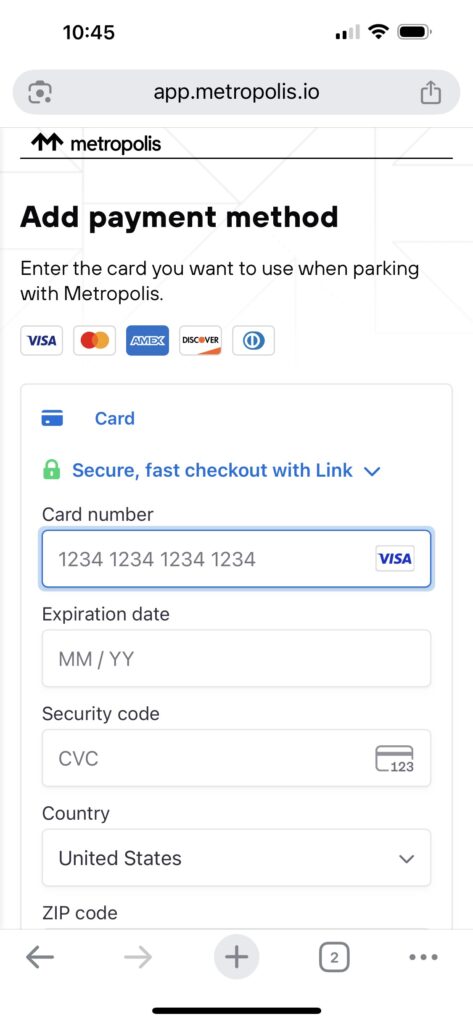
5. Set up payment (required even when using a parking validation)
- Add a credit car, or scroll down to choose Apple Pay
6. Using a parking validation
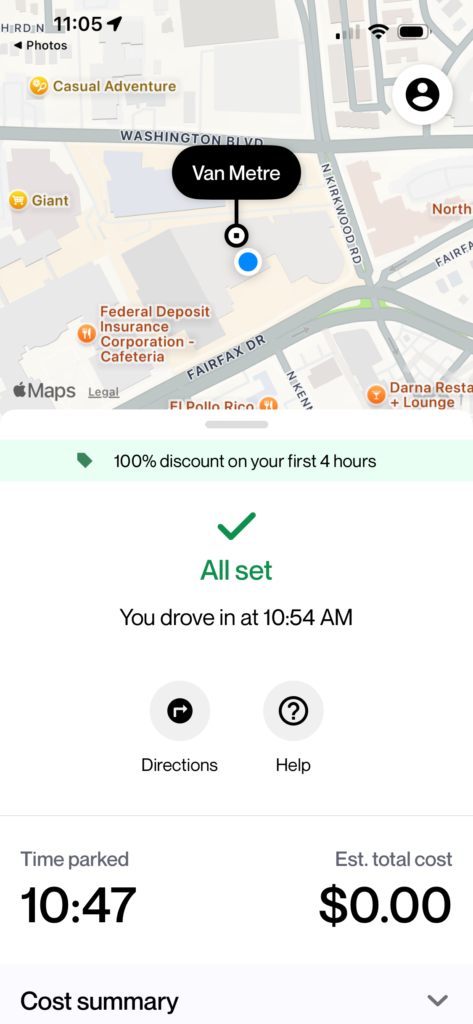
Encore Learning staff will provide a parking validation via a QR code at each class session. Scanning the QR code will provide 4 hours of parking in your metropolis account for the current parking session. Please be ensure that your Metropolis account shows that the discount has been applied before departing.
Parking Map