
MEMBER ACCOUNT SETUP, REGISTRATION AND HELP
Encore Learning has launched a new portal for membership and registrations. It’s the place to go for joining or renewing your membership, signing up for a class or event, or making a donation to Encore Learning. Below are some important steps to get you started in the new portal.
ACCOUNT SETUP AND JOINING ENCORE LEARNING
All Encore Learning users, even non-members, will receive an email from Encore Learning with an email address of noreply@imperisoft.com to reset your username and password. You may click on the link in this safe email to start the process. If you don’t receive the email you may go to this link to set your username and password:
https://reg131.imperisoft.com/EncoreLearning/LoginHelp/Registration.aspx
Once you reset your password you will be emailed a link. This link will only work for 30 minutes and can only be clicked once.
This link will work for anyone who has been a member or registered for an event with Encore Learning in the past few years and has an active email.
You will be asked to update your username and password.
- We recommend you use your email address as your username.
- The password requirements are: at least 8 characters to include at least 1 uppercase, 3 lowercase, 1 digit (number) and 1 non-alphanumeric character ($ @ # %).
If you’d like to review your password when creating it or entering it to login, just click the eye icon with the line through it.
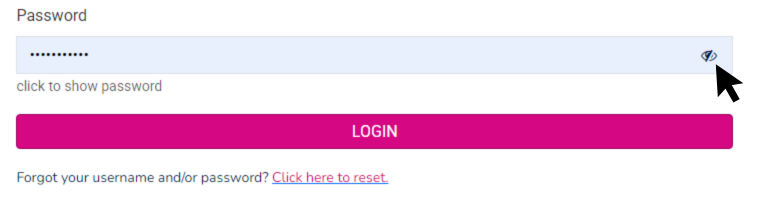
If your email is not in active in our system, you may create a user account by clicking this link:
https://reg131.imperisoft.com/EncoreLearning/NewAccount/Registration.aspx
After you have created an account, see below for steps to Join Encore Learning so you can register for courses and events.
Once you have successfully logged in and saved your password, navigate to "My Account" under your account name in the top right to review your account information.
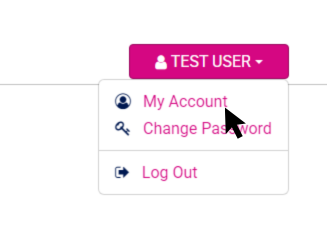
Scroll down to check that recent course registrations are listed, verify your membership status, and ensure your contact information is up to date.
While logged in you can determine if it's time for you to renew or join Encore Learning. This annual membership can be added to your shopping cart and you can test out the payment process.
To join, click on the membership tab and click on "SELECT" under the membership description.
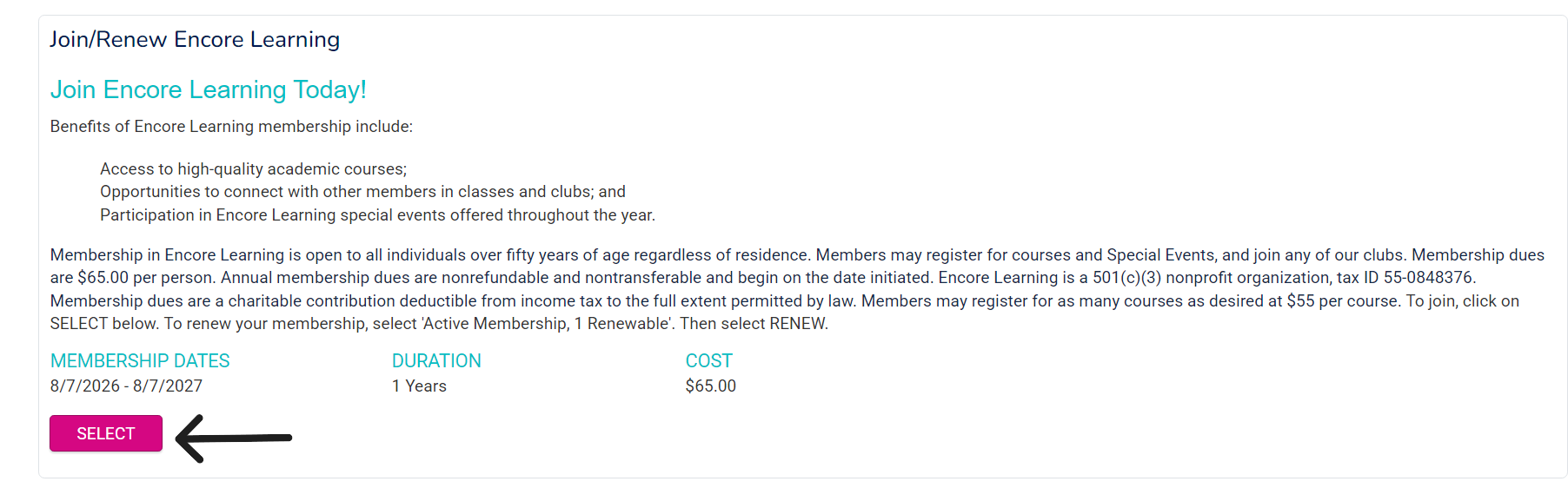
When you process your membership, you now have the option to auto-renew. Encore Learning can automatically process your annual membership renewal if you check this box and save your credit card information.
The process to renew an Encore Learning membership is different if your membership has not yet expired or has already expired.
To renew a current membership that is still active, ensure you first click on the box showing you have an active membership, then on "RENEW."
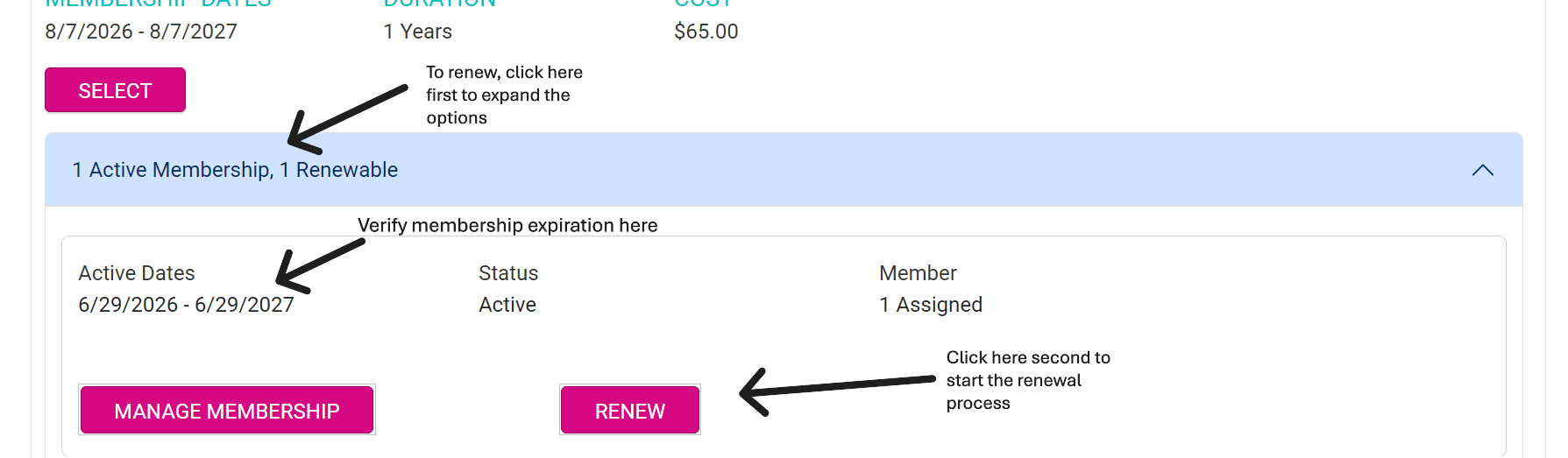
See below for video tutorials on how to renew your membership.
If you membership has already expired, you will need to purchase a new membership.
These video tutorials will walk you through the process.
Video Tutorial on Renewing Membership PRIOR to Expiration
Video Tutorial on Renewing Membership AFTER Expiration
REGISTERING FOR COURSES AND EVENTS
Upcoming Special Events and the Current Course Catalog are online. Browse the offerings and try filtering to find courses that may interest you.
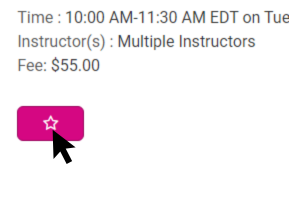
Before registration opens, you can add courses to your wishlist by clicking on the star.
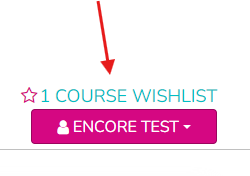
View all courses in your wishlist, including on registration day, by clicking on course wishlist at the top of the catalog above your name.
This tutorial will walk you through the steps for registering for Encore Learning courses. A member account and a paid membership is required to register for courses.
This tutorial shows instructors and class aides how to register for a course using class credits.
TROUBLESHOOTING COMMON ISSUES
While setting up a new account, or updating a previous account, emails from the system are sent from a new address that your email client may not recognize. This can cause delay in receiving emails or put messages in your spam folder.
Some users, especially gmail account users, may need to allow the new sender.
There are several steps you can take to help with this issue.
Add noreply@imperisoft.com as a saved contact:
1. Go to https://contacts.google.com/
2. Login with your gmail account if not already logged in
3. Click the + create contact button (on a desktop this is often in the upper left)
4. Click "create a contact" from the dropdown
5. Enter noreply@imperisoft.com in the email section. If you want, you can also put ProClass in the company section
6. Save
Mark ‘noreply@imperisoft.com’ as NOT spam and make that email address an allowed sender:
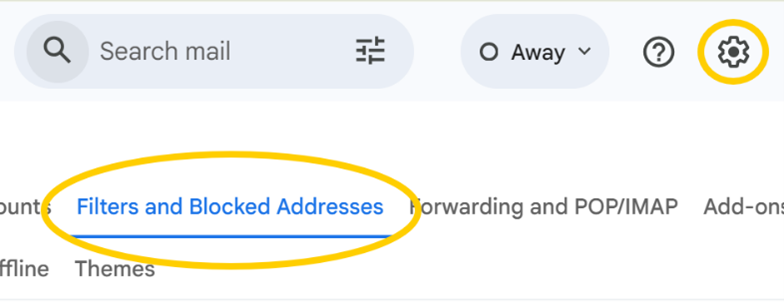
1. To do this in the Gmail client on a computer, go to Settings, then "See All Settings," then 'Filters and Blocked Addresses.'
2. Click "Create a new filter
3. In the To: field, insert: noreply@imperisoft.com
4. Select "create filter"
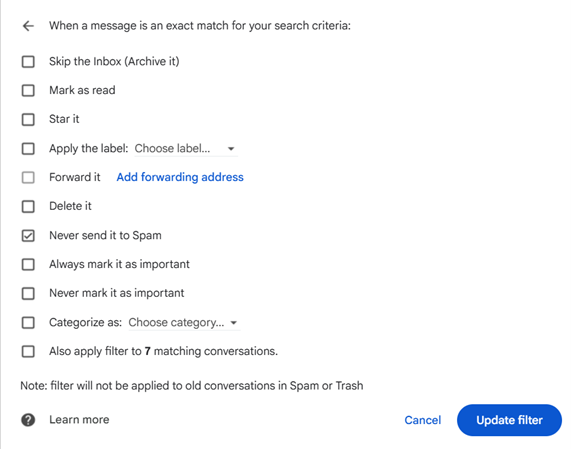
5. Add the parameter of “Never Send it to Spam”, then Create or Update Filter.
The second challenge we have found is that some members are inadvertently purchasing a membership when it is not necessary, their membership is still current.
Your membership status will show up in your account when you click on MEMBERSHIP from the menu bar.
If you are a current member, and your membership has not yet expired, that information is displayed in the green bar tex. You may need to expand that bar that says ‘1 Active Membership, 1 Renewable’ if your membership is current.
This status means you do not need to SELECT a new membership. You have a membership!
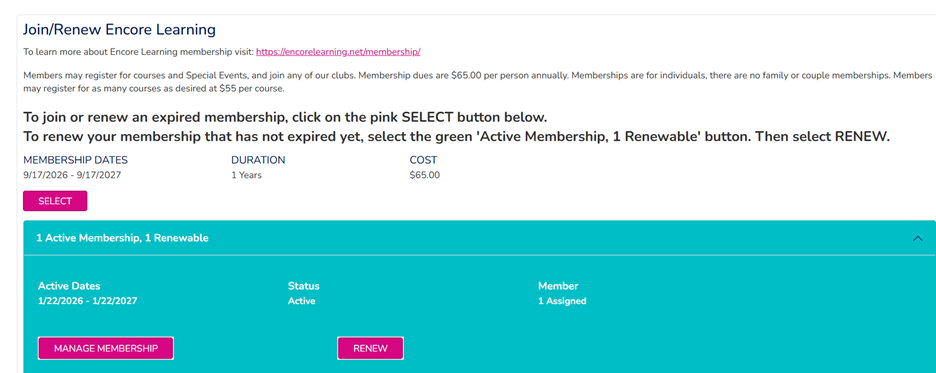
If you click SELECT you will be brought to the payment page to purchase a new membership. If you are current, do not proceed.
If you want to renew your membership, select RENEW from the green bar.
For a video tutorial showing the process of renewing your membership, prior to expiration, please click here.
If your membership has already expired, you can renew using the process outlined in this video tutorial.
If you are a current member and do not see your active membership displayed, please contact staff at info@encorelearning.net so we can be sure your membership is connected to your record.